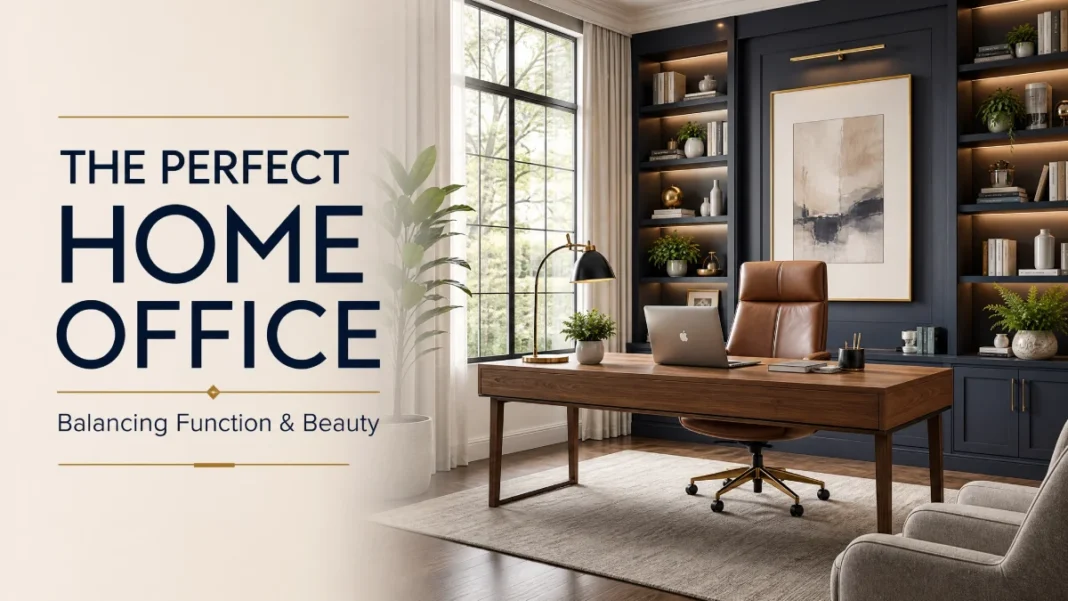
Your home office should work as hard as you do. It needs to support your body through eight-hour days, keep your focus sharp, and still feel like a room you actually want to walk into. Too many remote workers end up at the kitchen table with a laptop, a sore neck, and a pile of mail photobombing every video call.
You can fix that. A functional and beautiful home office doesn’t require a spare room or a bottomless budget. It requires a few deliberate choices — placed in the right order.
This guide walks you through that order, from bare-bones needs assessment to the final style touches. We’ll define ergonomic terms in plain language, offer real product ideas at three budget levels, and solve small-space problems without making you knock down any walls.
Step 1: Assess Your Space, Workflow, and Must-Haves
Before you buy anything, grab a notepad. Answer three questions honestly.
How many hours a day do you actually work in this spot?
If it’s four or fewer, a compact laptop setup might work. If it’s eight-plus, you need a full ergonomic desk and an adjustable chair — no exceptions.
What tasks dominate your day?
Are you on video calls 60% of the time? Do you spread out papers, sketch, or code across two screens? A therapist needs a different setup than a data analyst. Write down your top three daily activities.
What can you not stand about your setup?
Maybe your back aches by 2 p.m. Maybe the glare on your monitor forces you to close the blinds and sit in the dark. Those specific pain points become your priority shopping list.
Now measure your available space. Jot down the width, depth, and any odd angles, radiators, or windows. Even a 5-foot-wide wall can host a productive workspace if you respect the dimensions. One more thing: check your internet speed at speedtest.net. Anything below 25 Mbps download will struggle with video calls and cloud-based work — a mesh WiFi system like the TP-Link Deco or Eero can solve dead spots in small apartments.
Step 2: Set Up an Ergonomic Layout — The 90-Degree Rule
Ergonomics means designing your workspace to fit your body, not forcing your body to fit the workspace. An ergonomic layout reduces strain on your neck, shoulders, wrists, and lower back. It doesn’t require medical knowledge — just a tape measure.
Desk Height and Seated Posture
When you sit, your elbows should bend at 90 degrees or slightly more with your forearms parallel to the floor. Your wrists stay straight, not angled up or down. To find your ideal desk height, measure from the floor to your elbow while seated with feet flat. Most people land between 28 and 30 inches. If your desk is too high, a footrest can help; if it’s too low, add furniture risers or an adjustable-height desk.
Monitor Position
Place your monitor (or laptop on a stand) so the top of the screen is at or slightly below eye level. That keeps your head balanced over your spine, not tilted forward. The screen should sit about an arm’s length away — roughly 20 to 28 inches. If you use an external monitor, a monitor arm (VIVO or Ergotron make reliable options from $30) frees up desk space and lets you fine-tune height and angle with one hand. If you use a laptop, get a separate keyboard and elevate the laptop on a stand. Typing with your hands at chin level torques your wrists and hunches your shoulders.
Chair Selection: What Actually Matters
An ergonomic chair isn’t about looks. You’re hunting for:
- Adjustable seat height (so feet rest flat).
- Adjustable lumbar support that pushes gently into the curve of your lower back.
- Seat depth that leaves 2–3 fingers of space between the front edge and the back of your knees.
- Armrests that let your shoulders relax without lifting or slumping.
Test chairs in person if you can. Sit for at least 10 minutes. If your lower back feels unsupported or your shoulders creep toward your ears, move on.
Step 3: Choose the Right Furniture at Every Budget
You don’t need to furnish the room in one day. Start with the desk and chair — those are the backbone. Add storage next. The styling pieces can wait.
Desk Options by Budget
| Budget Tier | Desk Type | Product Examples | Best For |
|---|---|---|---|
| Under $200 | Manual sit-stand converter or fixed-height desk | IKEA Skarsta (manual crank) / IKEA Linnmon + Adils legs | Tight budgets, temporary setups |
| $200–$600 | Sturdy electric sit-stand or large fixed desk | Fully Jarvis (laminate), Uplift V2 (laminate), IKEA Bekant | Long hours, multi-monitor, serious ergonomic needs |
| $600+ | Premium solid wood or commercial-grade | Uplift V2 (solid wood), Branch Standing Desk, Herman Miller Renew | Design-forward, lifetime investment pieces |
Small-space tip: A wall-mounted drop-leaf desk folds flat when not in use. Look for ones with a depth of at least 24 inches to hold a monitor. A console table behind a sofa can double as a desk with a swivel arm for the monitor.
If you choose a sit-stand desk, pair it with an anti-fatigue mat. Standing on hard floors for extended periods strains your feet, knees, and lower back. The Sky Solutions mat and the Fully Standing Mat both offer cushioned support for around $40–$60.
Ergonomic Chair Options by Budget
| Budget Tier | Chair Type | Product Examples | What You Get |
|---|---|---|---|
| Under $250 | Highly adjustable mesh-back | Branch Ergonomic Chair, IKEA Markus (check lumbar comfort) | Basic lumbar support, seat height, and tilt |
| $250–$700 | Refined ergonomic seating | Steelcase Series 1, Herman Miller Sayl, Autonomous ErgoChair Pro | Better adjustability, 8–10 hour comfort, solid warranties |
| $700+ | Fully loaded, all-day performance | Herman Miller Aeron, Steelcase Leap, Humanscale Freedom | Best-in-class support, 12-year+ warranties, recognizable design |
I’ve sat in the Sayl and the Aeron for full workdays. The difference is real: by evening, my lower back felt noticeably fresher in the Aeron. That said, the Branch Ergonomic Chair at under $250 punches well above its price. If you’re on a tight budget, pair it with a lumbar cushion like the LoveHome Memory Foam support for an extra $30.
Step 4: Layer Your Lighting for Focus and Flattery
A single overhead fixture is the enemy of a productive office. It casts harsh shadows, creates screen glare, and makes you look exhausted on camera. You need two layers: task lighting and ambient lighting.
Task Lighting (See Your Work Clearly)
Task lighting illuminates your desk surface without bouncing off the monitor. An LED desk lamp with an adjustable arm and dimmer gives you total control. Position the lamp on the side opposite your dominant hand so your hand never casts a shadow on your work.
Even better: a monitor light bar like the BenQ ScreenBar or the budget-friendly Quntis Computer Monitor Lamp. These mount on top of your monitor and bathe the desk area in asymmetrical light — zero screen glare. They free up desk space and automatically adjust brightness.
Ambient Lighting (Soften the Room and Yourself)
Ambient light fills in the rest of the room and makes you look human on video calls. A floor lamp with a warm white bulb placed behind or beside your monitor works well. Avoid pointing a light directly at your face from above — that creates under-eye shadows. Instead, bounce light off a wall or use a soft LED panel at face level.
Choose bulbs with a color temperature of 3000K–4000K. 3000K gives a warm, relaxed glow; 4000K feels more neutral and alert. Keep the lighting consistent across all bulbs so your camera’s white balance doesn’t shift mid-call. Also consider enabling night mode or blue light filtering on your monitor during evening hours — macOS’s Night Shift and Windows’s Night Light both shift the display warmer to reduce eye strain after sunset.
Glare-Busting Checklist
- Never place your monitor directly opposite a window.
- Use sheer curtains or adjustable blinds to soften daylight.
- Position your monitor perpendicular to the window (the light hits your side, not your screen or your face).
- Run a quick test: open your laptop camera and check your face. If you see bright hotspots or deep shadows, move your ambient light source.
Step 5: Solve Storage — Open vs. Closed and Small-Space Tricks
Clutter is visual noise. It drains focus and whispers “unprofessional” on camera. Storage is where function and beauty either shake hands or fight to the death.
Open Shelving: Beautiful But Demanding
Open shelves keep frequently used items within arm’s reach — reference books, a plant, a small catchall tray. But open shelving behind you on video calls becomes a background that everyone sees. Everything must be tidy and intentional. Limit open shelves to one wall not visible on camera if possible. Use matching boxes or magazine files for supplies. Baskets in a consistent neutral (seagrass, white, or black metal) hide chaos without looking like an afterthought.
Closed Storage: The Productivity Powerhouse
A cabinet or sideboard with doors hides cables, paper piles, printer, and the snack stash. For a clean look, consider the IKEA Bestå system with soft-close doors or a vintage credenza from Facebook Marketplace updated with fresh hardware. When the doors close, the visual noise disappears — and you can breathe easier.
Small-Space Storage Tricks
- Vertical pegboard above the desk (IKEA Skådis) holds headphones, pens, small shelves, and even a mini plant — all off the work surface.
- Floating shelves mounted high draw the eye upward and can store items you rarely access.
- Rolling under-desk file cabinet with a cushion on top doubles as a guest seat or footrest.
- Behind-the-door organizer with clear pockets holds cords, notepads, and tech accessories.
Step 6: Design a Video-Call-Ready Background
Your background is now part of your professional presence. It doesn’t need to look like a staged model home. It needs to look deliberate.
Start with what the camera sees
Sit at your desk, open your laptop’s camera app, and take a screenshot. What’s in the frame? A bare wall, a messy bookshelf, a door that a family member might walk through? Remove anything that could distract or embarrass you.
Anchor the background with one focal point
A single piece of art, a curated bookshelf, or a textured wall hanging behind you gives the eye a resting place. A 24×36-inch canvas print centered at seated eye level works well. Keep the art’s color palette calm — soft abstracts, landscapes, or architectural drawings. Avoid small, busy patterns that can shimmer on video.
Control the echo
Hard surfaces bounce sound, making you sound like you’re broadcasting from a cave. Add soft materials: a rug under your chair, curtains on a window behind you, or a felt acoustic panel mounted on the wall behind the monitor. Even a cork board with fabric wrapping absorbs sound and adds warmth. I’ve used Felt Right tiles — they come in hexagons you arrange into a custom pattern, and they cut the slap-back echo in my 8×10 ft office.
Keep a “call-ready” prop stash
A small plant, a tidy stack of design books, or a ceramic mug with a single pen can sit on a floating shelf behind you. Swap items when you want a refresh. Avoid anything with text that might distract or send unintended messages.
Step 7: Add Productivity-Boosting Design Elements
Some design choices directly fuel your focus. Others feel good — and that matters, because a space you enjoy pulls you into flow.
Cable Management (Non-Negotiable)
A jumble of cables under the desk signals chaos. Mount a cable management tray under your desk (Uplift and Fully sell simple metal trays, or use an IKEA Signum rack). Use Velcro ties to bundle cords. Clip the power strip to the underside of the desk so only one cord drops to the outlet. It takes 20 minutes. Do it this weekend.
A Timer and a “Do Not Disturb” Signal
Visual cues reinforce boundaries. A simple analog clock or a time-tracking cube (like the TimeFlip) keeps you aware of deep-focus sprints. The Pomodoro Technique — 25 minutes of focused work followed by a 5-minute break — pairs well with a physical timer that sits on the desk and keeps you off your phone. If you share your home, a small sign or a red-light-on-the-door system tells others when you’re on camera or in a meeting. These touches reduce the mental load of boundary enforcement.
Greenery (Yes, It’s a Productivity Tool)
A plant on the desk or shelves isn’t decoration. NASA’s 1989 Clean Air Study found that certain houseplants remove volatile organic compounds from indoor air, and subsequent research on biophilic design shows that live plants lower stress and improve concentration. Try a low-maintenance snake plant or a ZZ plant — both thrive on neglect and survive low light. If your thumb is aggressively brown, a high-quality faux plant (check Nearly Natural) still gives the green visual cue without the guilt.
Noise Management
If your home has unpredictable noise — kids, construction, roommates — a pair of noise-canceling headphones like the Sony WH-1000XM5 or the budget-friendly Anker Soundcore Space Q45 creates a quiet zone on demand. For a lower-tech option, a white noise machine (LectroFan or Dohm) masks background sounds with a steady hum that fades into the subconscious.
Step 8: Style Without Sacrificing Function
You’ve built an ergonomic, glare-free, clutter-contained workspace. Now layer in the details that make it feel like yours — without undoing all that work.
Pick a calm, cohesive color palette
You’re sitting here for hours. Jarring, high-energy colors can agitate. Soft neutrals with a single accent color keep the eye relaxed. Try painting one wall Benjamin Moore’s White Dove OC-17 — a warm white that flatters nearly every skin tone on camera — and add an accent through a desk lamp, a throw pillow on a side chair, or a single ceramic vase in a dusty blue or olive green.
Curate your desktop
The only items that earn a permanent spot: your monitor, keyboard, mouse, a task light, and one small object that brings you joy. That might be a smooth stone, a beautiful notepad, or a candle you never light (it still smells good). Everything else lives in drawers or on a shelf. Clear your desk at the end of each workday. You’ll start the next morning with a fresh mind.
Add one tactile luxury
A leather desk mat (Grovemade makes a wool-and-leather version), a ceramic mug you love to hold, or a weighted blanket on your chair for focus sessions. These small sensory pleasures root you in the space and signal, “I deserve to work in a place that feels this good.”
Conclusion
The best home office is the one you don’t want to escape at 3 p.m. — because your back doesn’t ache, your eyes aren’t burning, and your background looks like an intentional choice, not an afterthought. Function creates the foundation, and beauty follows.
If you take away only one thing, let it be this: start with the ergonomic basics — chair, desk height, monitor position — before you buy a single decorative item. Comfort is the true luxury. Once you have that, each styling piece you add will feel like a reward, not a distraction.
Now measure your space, take that camera test screenshot, and build a workspace that works as well as you do. Got a small-space solution you’re proud of? I’d love to hear about it — drop your idea in the comments.

